
Welcome to MERGE V3.0
- A freeware graphic utility for overlaying two images in any relative position.
- Merge or batch merge two images in many different ways. No need to worry about relative positioning or image size/scaling differences.
- Runs on: Windows Vista, 7, 8, 10
- Merge whole pictures with adjustable blending modes.
- Batch Merge files with a single image or text - useful for watermarking your favorite images.
- Batch merge with one 'source' set to text allows for the possibility of image page numbering.
- Batch merge two files at a time from two different directories.
- Smoothly blend in just part of a source image to the final result.
- Copy back the merged result back to a "source" image and rescale or reposition it for remerging. This is a way of merging more than 2 images and can also create surreal effects.
- Rotate and position either or both 'source' images before merging them.
- Generate surreal effects on the final image. (see below for examples)
- The image formats for loading and saving are BMP,JPEG,PNG,TIF,TGA,PCX.

Watermarking
Typical example of a watermarking image on the left resulting in the final image on the right.
+

=

Merging more than 2 images
The screenshot example here shows many facits of MERGE such as simple merging, smooth blending, rotation and inserting of text.Note that selecting "Change Src 1" (or 2) button followed by the "Current Target" button it is easy to merge more than two images or text in any combination.
Click the image to enlarge

The merge process
For each and every target pixel at a given location, merge will take the pixel at the same location from the two images and merge them according to one of these selectable options:
- Average
- Brightest
- Darkest
- Most Colored
- Least Colored
- If 1 > gray Then 1 else 2
- If 1 > gray Then 2 else 1
- If 2 > gray Then 1 else 2
- If 2 > gray Then 2 else 1
You can adjust the weighting in percent between the two sources for the merging process. The default value of 50% denotes equal biasing between the two source images.
There are other options available where the 'else' statement is replaced with the background color.
Originating from two images these samples are in turn: average, darkest, brightest, subtract21 and subtract12. They have not been touched up with local blending.





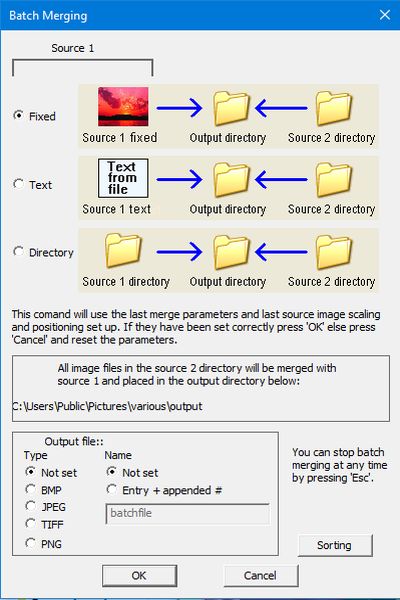
Batch Merging of images
There are three options available for batch merging:
- Source 1 image fixed as text or an image from file or clipboard
- Source 1 generated from lines of text from a single file, where each line merges with the next image in source 2.
- Simple batch merge of two image files each from a different directory.
In each case source 2 image files are always loaded from a directory to be merged in turn with the contents of source 1 however that is generated from one of the three options.
Relative positioning, scaling, merge parameters and brightness and contrast are all set up before running this command. If you don't like the result then simply setup the parameters again and retry. None of the originals are lost.
If the watermark image (always source 1) is text then a good tip is to set the merge method to 'Brightest' if white text or 'Darkest' if black text.
The merge (version 2.9 only) plugin to enable perspective transform is available for download. here
Version 3.0 does not need the plugin for perspective transform to work.

Blending
With MERGE you can smooth-blend part of a source image to the destination.
Here are two source images: the cat for source 1 and the dog for source 2 (it becomes source 2 as it is loaded after the cat.)

+

=

Surreal effects
There are several choices of effect: Blur, edge, emboss sharpen, soften
This example was generated by selecting 'emboss' followed by smooth blending of one source image against another.

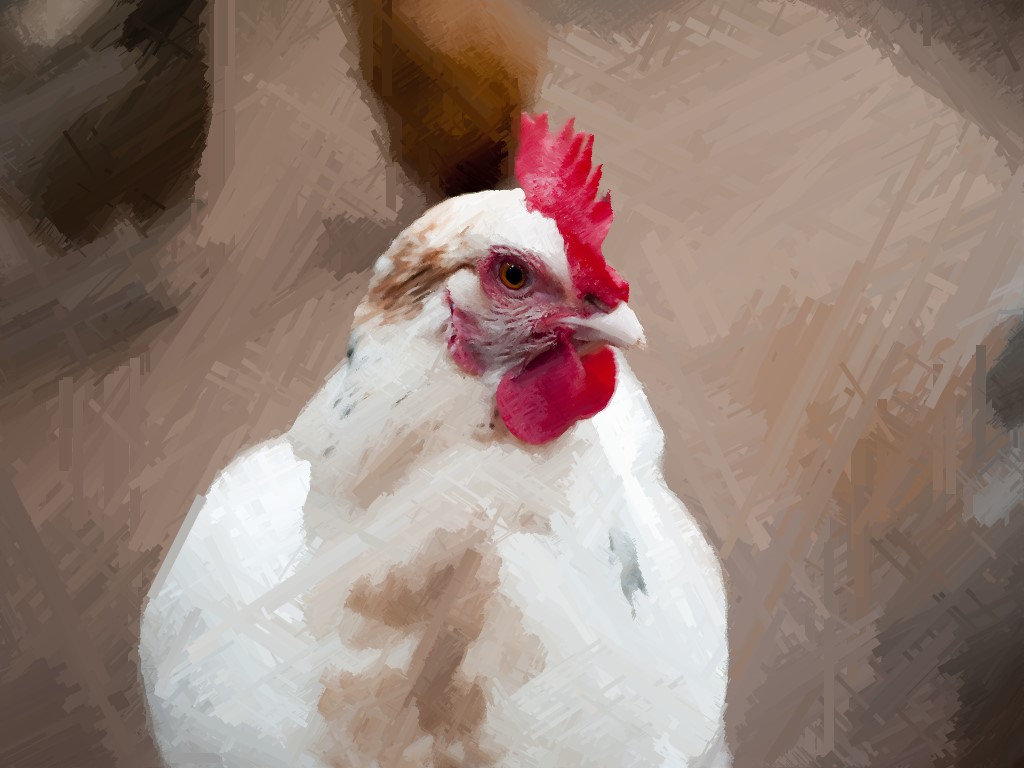
"Articulate Effects"
These are another selection of surreal effects.
The image on the right is a colored pencil draw effect: click on it to blow it up

>>>

>>>

Download file merge30.exe
SHA256 checksum:
33C6969E58D3CBCA
F098FDECEB251E60
D031B2594D80E7C0
7E60B749475E4EFD
Download file merge29.exe
SHA256 checksum:
56C5319EE437FFE0
E786479BE0DC1B6C
BA9B08E0A768B5BA
927A01136881BD7A
Upgrade from Version 2.9
- Batch merging allows output filename with appended count to be set.
- New text font size coarse up and coarse down buttons, fine adjustment is still present.
- New sort options available when batch merging.
- Merge now correctly handles computer display scale and layout of > 100%
- Right mouse clicking on sizing box (on the target) quickly resets the scaling of the selected source back to 100%
- Bug fix: error in numerical x/y cursor positions shown at bottom of screen when left mouse is pressed in the target area.
- The perspective transform plugin feature is no longer a plugin but is now integrated in merge.
Awards Section:






 5 stars Award on Windows 7 Download


